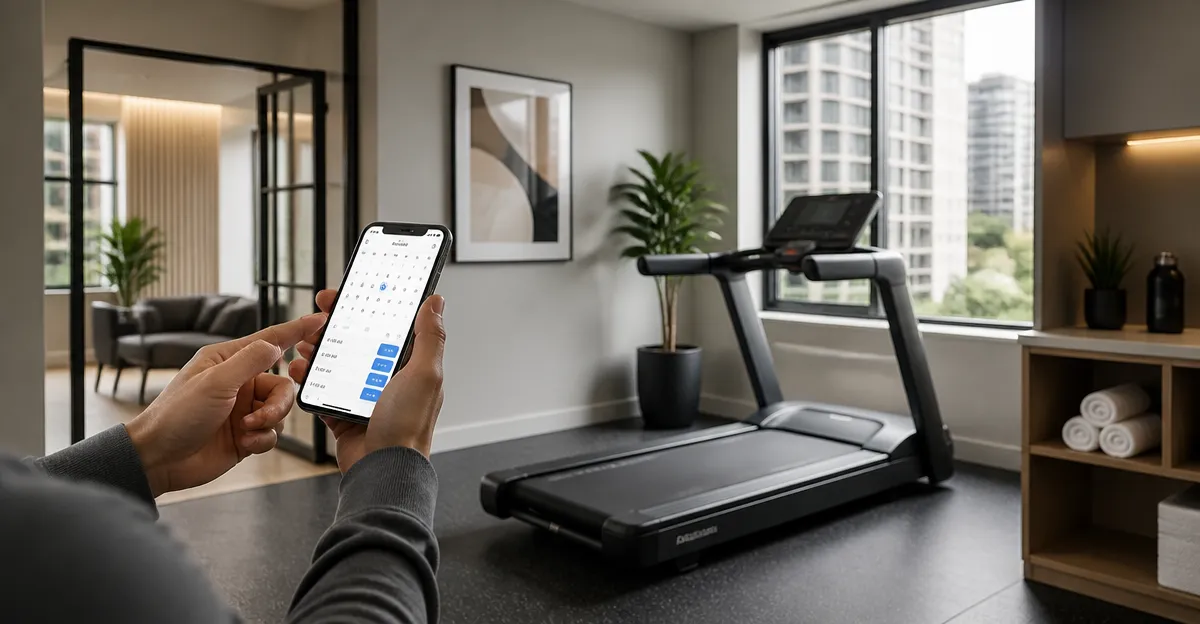
Introduction
Residents of a cooperative apartment often share limited fitness equipment, and a well‑designed booking system can transform a crowded hallway into a reliable wellness resource. This guide explains how to assess demand, select software, establish rules, and maintain equipment while recommending three treadmills that suit a variety of spaces and budgets. By following the steps, a co‑op manager will create a transparent reservation process that encourages regular exercise and reduces conflicts.
The instructions are actionable for anyone with basic computer skills and a modest budget. The guide also highlights best practices for safety, data privacy, and long‑term sustainability, ensuring the system remains functional for years.
What You'll Need
- Computer or tablet with internet access for configuring the booking platform.
- Digital calendar or reservation software (e.g., Google Calendar, Skedda, or specialized co‑op apps).
- Printed signage and QR codes for easy access to the booking page.
- Secure storage for keys or access cards if the treadmill area is locked.
- One or more treadmills appropriate for the available space. Recommended options are listed in the Products Mentioned section.
Step 1: Assess Demand and Space
Begin by surveying residents to determine how many individuals would regularly use a treadmill. Use an online form or a paper questionnaire and ask about preferred workout times, frequency, and any accessibility concerns. Compile the responses into a simple spreadsheet to identify peak hours and the total number of users.
Next, measure the designated area where the treadmill will be placed. Ensure there is at least 2 feet of clearance on each side and 3 feet behind the machine for safe mounting and emergency stop access. Record the dimensions so you can match them with a treadmill that fits comfortably.
Document the findings in a brief report and share it with the co‑op board for approval. This data will guide the selection of equipment and the capacity limits you will set in the booking system.
Step 2: Choose a Booking Platform
Select a platform that supports recurring reservations, email reminders, and user authentication. Free options such as Google Calendar with appointment slots work well for small co‑ops, while paid services like Skedda provide more granular control over resource allocation.
Configure the resource as “Apartment Treadmill” and set the maximum number of simultaneous bookings to one. Define the booking window (e.g., 30‑minute slots) and enforce a limit of two active reservations per resident to prevent monopolization.
Enable automatic email confirmations and a reminder 15 minutes before each slot. This reduces no‑shows and keeps the schedule transparent for all members.
Step 3: Establish Booking Rules and Policies
Write a concise policy document that outlines who may book, how far in advance reservations can be made, cancellation procedures, and penalties for repeated no‑shows. Typical rules include:
- Bookings must be made at least 24 hours in advance.
- Cancellations require a 2‑hour notice.
- Each resident may hold a maximum of two future slots.
- Misuse of equipment or failure to follow safety guidelines may result in temporary suspension of booking privileges.
Post the policy near the treadmill and upload it to the co‑op’s internal portal. Having clear expectations minimizes disputes and encourages responsible usage.
Step 4: Install Signage and Access Controls
Create a durable sign that displays the QR code linking directly to the booking calendar, the policy summary, and emergency contact information. Laminate the sign to protect it from humidity and wear.
If the treadmill area is locked, install a keypad or electronic lock that can be opened with a code shared only with residents who have an active reservation. Some booking platforms can generate one‑time passcodes that sync with smart locks, providing seamless access.
Test the lock and QR code with a few volunteers before the official launch to ensure the workflow is intuitive.
Step 5: Prepare Treadmills for Shared Use
Select treadmills that balance durability, noise level, and footprint. The following three models are well suited for apartment co‑ops:
- WELLFIT Home Treadmill – A heavy‑duty unit with a 4.0 HP brushless motor, 450 lb capacity, and a 20" × 45" running area. Its quiet operation (<45 dB) makes it ideal for shared walls, while the built‑in pulse sensors and Bluetooth app enable personalized workouts. Rating: 4.5/5 from 116 reviews.
- Ulfario Folding Walking Pad – A compact, fold‑up treadmill that fits under a bed or desk when not in use. It supports up to 264 lb, offers three speed modes (0.6–4 MPH), and includes an LED display with remote control. At $509.15, it provides a space‑saving solution for smaller co‑ops.
- SUOUER Portable Walking Pad – The most affordable option at $109.97, featuring a 3.0 HP motor, incline adjustment, and a 0.6–7.6 MPH speed range. Its lightweight frame and detachable handle bar make it easy to store in closets or hallways.
Place the chosen treadmill on a level surface and attach non‑slip mats to protect flooring. Perform a calibration of the speed and incline controls, then record the serial numbers for inventory tracking.
Finally, create a quick‑start guide that explains how to power on the machine, adjust speed, and use any integrated heart‑rate monitors. Attach the guide to the treadmill with a magnetic strip for easy reference.
Step 6: Train Residents and Manage Maintenance
Host a brief orientation session for all residents who intend to use the treadmill. Demonstrate the booking process, safety procedures (e.g., using the handrails, starting at low speed), and how to report issues. Record the session and make the video available online.
Establish a maintenance schedule that includes weekly belt cleaning, monthly motor inspection, and quarterly lubrication of the shock‑absorbing deck. Assign a volunteer or hire a local technician to perform these tasks, and log each service in a shared spreadsheet.
Encourage users to leave feedback after each workout via a short online form. This data helps the board identify recurring problems and adjust policies as needed.
Step 7: Launch, Monitor, and Iterate
Open the booking system to all approved residents and announce the launch through email, bulletin boards, and the co‑op’s digital newsletter. Highlight the benefits of regular cardio, such as improved heart health and stress reduction, to encourage participation.
During the first month, monitor reservation patterns, no‑show rates, and equipment wear. If certain time slots are consistently under‑utilized, consider adjusting the slot length or offering “open‑gym” periods without reservations.
Periodically review the policy document and update it based on resident feedback and usage statistics. Continuous improvement ensures the system remains fair, efficient, and aligned with the co‑op’s wellness goals.
Tips & Pro Tips
- Use a dedicated email address for booking confirmations to keep communications organized.
- Place a small first‑aid kit and a fire extinguisher near the treadmill for emergency preparedness.
- Consider integrating the reservation calendar with the building’s smart lighting system so the treadmill area is illuminated only during booked slots.
- Offer a “guest pass” for visitors, but require the resident who invited them to assume responsibility for any damage.
- Schedule quarterly “maintenance days” where the treadmill is taken offline for deep cleaning and inspection.
Troubleshooting
Problem: Users report the treadmill stops unexpectedly.
Solution: Verify that the power cord is securely connected and that the circuit breaker has not tripped. If the issue persists, consult the manufacturer’s troubleshooting guide (available on the product’s Amazon page) and schedule a professional service.
Problem: Booking system shows double bookings.
Solution: Ensure the calendar’s time zone settings match the building’s local time. Clear any cached data in the browser and re‑sync the resource calendar.
Conclusion
Implementing a treadmill booking system in a cooperative apartment combines thoughtful planning, clear policies, and reliable equipment. By assessing demand, selecting an appropriate reservation platform, establishing transparent rules, and maintaining the treadmills, a co‑op can provide a valuable fitness amenity that enhances resident wellbeing and community spirit. Regular monitoring and willingness to adapt will keep the system efficient and enjoyable for years to come.
Products Mentioned in This Guide
Frequently Asked Questions
How do I choose the right treadmill for a cooperative apartment?
Select a treadmill that fits the available space, matches the budget, and offers durability and safety features for shared use.
What software options work best for a co‑op treadmill booking system?
Google Calendar, Skedda, and dedicated co‑op apps are popular because they’re inexpensive, easy to set up, and support QR‑code access.
How can I prevent booking conflicts and double‑reservations?
Enable calendar syncing, set clear reservation limits (e.g., 1‑hour slots), and require users to confirm bookings via email or app notifications.
What safety measures should be included in the booking guidelines?
Post usage rules, require a brief safety check before each session, and ensure the treadmill area is locked when not in use.
How do I protect members' personal data in the booking system?
Use platforms with GDPR‑compliant privacy policies, limit data collection to names and contact info, and store records on secure, password‑protected accounts.