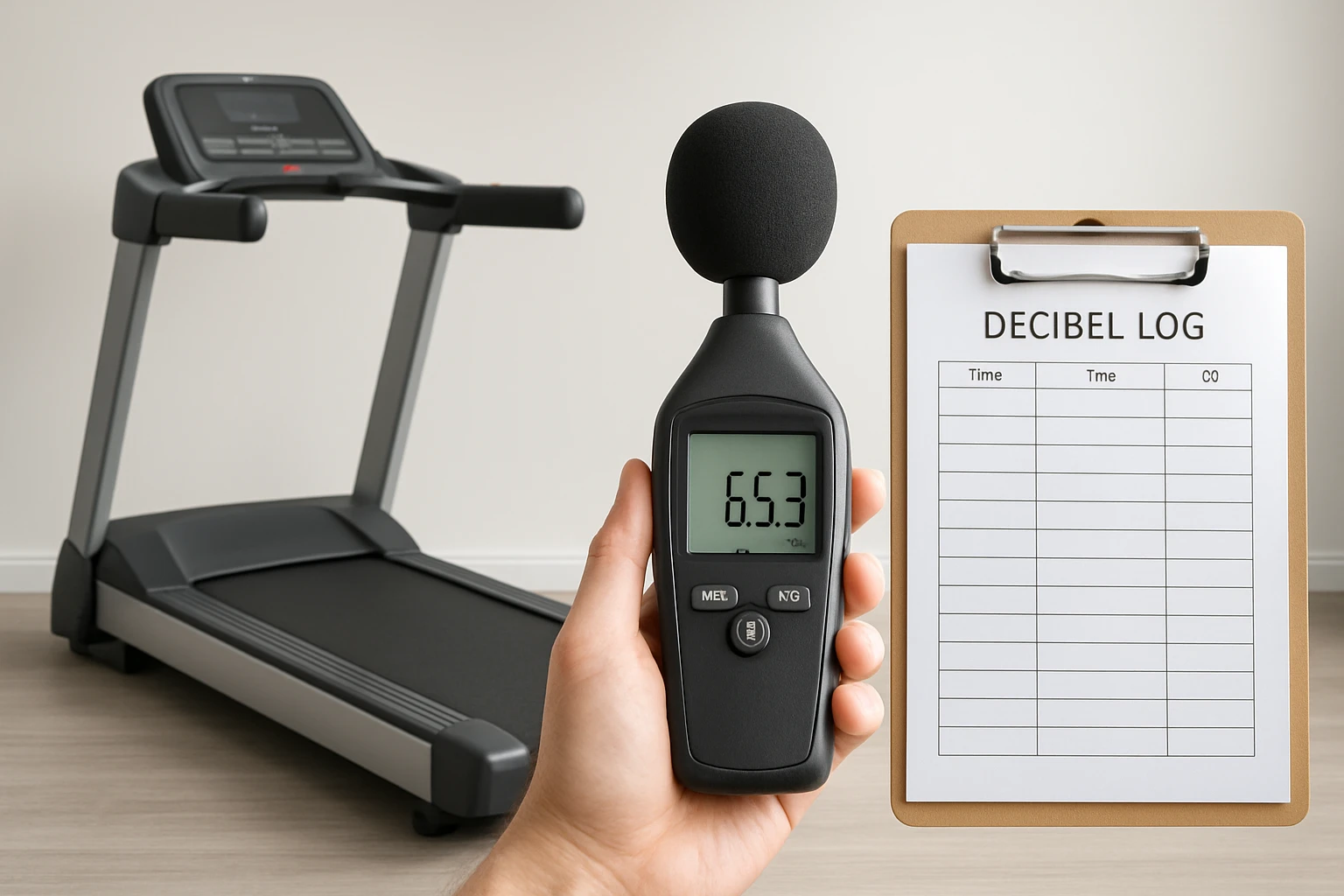
How to Measure Treadmill Noise and Create a Decibel Log: A Step‑by‑Step Guide for Landlords
Introduction
Landlords who provide fitness amenities must understand how treadmill noise can affect tenant satisfaction and lease compliance. This guide explains how to measure treadmill sound levels, document the results in a structured decibel log, and interpret the data for informed decision‑making. By following the procedures, landlords will be able to identify noise‑related complaints before they arise, maintain a peaceful living environment, and demonstrate due diligence to regulatory bodies.
The reader will learn how to select appropriate measurement tools, set up a controlled testing environment, capture accurate decibel readings, and compile a professional log that can be shared with tenants, property managers, or legal counsel. The guide balances technical precision with practical accessibility, ensuring that even those with limited acoustic experience can execute the process confidently.
What You'll Need
- One treadmill for testing (e.g., TREAFLOW Folding Treadmill or Yagud Portable Under Desk Treadmill)
- A digital sound level meter (e.g., Tadeto Digital Sound Level Meter)
- Optional secondary meter for cross‑verification (e.g., XIAOCETOOL Noise Decibel Meter or DURFICST Sound Level Meter)
- Measuring tape or laser distance tool
- Notebook or digital spreadsheet for logging
- Quiet room or isolated hallway for testing
Step 1: Prepare the Testing Environment
Begin by selecting a room that reflects the typical location where tenants will use the treadmill. The space should be free of extraneous noise sources such as HVAC fans, street traffic, or televisions. Measure the distance from the treadmill to the nearest wall; a distance of at least three meters provides a realistic acoustic scenario while allowing the sound meter to capture reflected sound.
Place a rug or acoustic mat on the floor if the building has hard surfaces. This reduces floor‑borne vibrations that could artificially inflate decibel readings. Record the room dimensions, floor type, and any acoustic treatment in the log, as these variables influence the final data set.
Step 2: Set Up the Treadmill
Unfold and position the TREAFLOW Folding Treadmill in the center of the room. The TREAFLOW model offers a 0‑25% automatic incline, a 3.5 HP brushless motor, and a dual‑layer cushioned deck that mimics real‑world usage. Its 10 MPH top speed and 300 lb weight capacity make it suitable for a wide range of tenants, from casual walkers to serious runners. The treadmill costs $539.99, carries a 4.3‑star rating from 43 reviews, and includes Bluetooth speaker integration for a realistic user experience.
If space is limited, the Yagud Portable Under Desk Treadmill provides a compact alternative. It measures 47.2 × 19.6 × 4.6 inches, supports up to 220 lb, and reaches speeds of 3.8 mph. Priced at $109.99 with a 4.4‑star rating from 1,648 reviews, it folds easily for storage and includes an LED display and remote control, allowing the landlord to adjust speed without leaving the testing area.
Power on the treadmill and allow it to run for two minutes at a low speed (2 mph) to warm up the motor. This stabilizes the acoustic output and ensures that subsequent measurements reflect steady‑state operation.
Step 3: Calibrate the Sound Level Meter
Select the Tadeto Digital Sound Level Meter as the primary instrument. The Tadeto meter measures from 30 dB to 130 dB with an accuracy of ±2.0 dB, offers both A‑weighting and C‑weighting modes, and provides fast (0.125 s) and slow (1 s) response settings. It is priced at $29.99 and holds a 4.5‑star rating from 3,242 reviews. Insert two AAA batteries, turn on the device, and allow the backlit LCD to initialize.
Set the meter to A‑weighting for general human‑perceived noise, and select the slow response mode to capture steady‑state treadmill noise. Perform a zero‑calibration in the quiet room by pressing the calibration button while the meter is away from any sound source. Record the calibration value in the log to maintain traceability.
If a secondary verification is desired, the XIAOCETOOL Noise Decibel Meter can be used. It costs $19.99, provides A‑weighting accuracy of ±2 dB, and includes a backlit display with max/min hold functions. Using two devices simultaneously helps identify any instrument drift.
Step 4: Capture Baseline Noise Levels
Position the sound level meter at a distance of one meter from the treadmill belt, at the height of a typical user’s ear (approximately 1.2 m above the floor). Ensure the microphone faces the treadmill directly, without obstructions. Record the ambient noise level with the treadmill turned off; this baseline will be subtracted from subsequent readings to isolate treadmill‑generated sound.
Typical quiet‑room baselines range from 30 dB to 35 dB. Document the baseline value, the measurement mode (A‑weighting, slow response), and the exact meter placement. This information is essential for reproducibility and for comparing readings across multiple properties.
Step 5: Measure Noise at Different Speeds and Inclines
Increase the treadmill speed incrementally: 2 mph, 4 mph, 6 mph, and 8 mph. At each speed, allow the belt to run for thirty seconds, then record the decibel reading. For the TREAFLOW model, also test three incline settings: 0 %, 12 %, and 25 %. Incline increases motor load and can raise noise levels by up to 5 dB, which is critical for landlords who allow high‑intensity workouts.
Example data collection table (to be entered in the log):
Speed (mph) | Incline (%) | Decibel (A‑weight) | Notes
2 | 0 | 58 dB | Quiet walking
4 | 12 | 62 dB | Moderate jog
6 | 25 | 68 dB | High‑intensity run
When using the Yagud treadmill, limit the test to speeds up to 3.8 mph, as the unit does not support higher velocities. Record the maximum observed level, as this will represent the worst‑case scenario for tenants.
Step 6: Document the Decibel Log
Create a digital spreadsheet with columns for Date, Property ID, Treadmill Model, Speed, Incline, Ambient Baseline, Measured Decibel, Adjusted Decibel (Measured minus Baseline), and Comments. The Adjusted Decibel column provides the true treadmill contribution, which is the metric used for compliance with local noise ordinances (often limited to 65 dB in residential zones).
Include a header row with bold formatting and freeze the top row for easy scrolling. Save the file in both .xlsx and .pdf formats; the PDF version can be shared with tenants as a transparent record of acoustic performance.
For long‑term monitoring, schedule quarterly re‑measurements, especially after treadmill maintenance or relocation. Update the log with each new data point to track trends and identify equipment that may require servicing.
Tips & Pro Tips
- Always wear ear protection when testing at speeds above 6 mph, as prolonged exposure to levels above 85 dB can cause hearing fatigue.
- Use a tripod or stable stand for the sound meter to avoid movement‑induced variance.
- If the treadmill includes a built‑in Bluetooth speaker, mute it during testing to prevent speaker output from contaminating the readings.
- Consider measuring at both the front and rear of the treadmill; rear measurements often capture reflected sound that travels through walls.
- When documenting, note the time of day, as ambient building noise can vary between morning and evening.
Troubleshooting
Problem: The sound level meter shows erratic readings that fluctuate more than 5 dB within a few seconds.
Solution: Verify that the meter is set to slow response mode, ensure the battery is fresh, and check that the microphone is not obstructed by clothing or debris.
Problem: The treadmill produces higher than expected noise at low speeds.
Solution: Inspect the belt for wear, tighten any loose bolts, and lubricate the deck according to the manufacturer’s instructions. Excessive belt slippage can generate rattling noises that inflate decibel values.
Problem: Ambient baseline is unusually high (above 45 dB).
Solution: Relocate the testing to a quieter corridor or schedule the measurement during off‑peak building hours. Record the elevated baseline and note the cause in the log.
Conclusion
By following the systematic approach outlined above, landlords can accurately quantify treadmill noise, maintain a detailed decibel log, and demonstrate proactive management of acoustic comfort. The recommended tools—particularly the Tadeto Digital Sound Level Meter and the TREAFLOW Folding Treadmill—provide reliable performance at reasonable cost, ensuring that measurement data are both precise and defensible.
Landlords who implement these practices will reduce tenant complaints, comply with local noise regulations, and protect the longevity of their fitness equipment. Continuous monitoring and documentation create a transparent environment that benefits property owners and residents alike.
Products Mentioned in This Guide
Frequently Asked Questions
Why should landlords measure treadmill noise in their units?
Measuring treadmill noise helps prevent tenant complaints, ensures lease compliance, and demonstrates due diligence to regulators.
What equipment is needed to accurately measure treadmill decibel levels?
A calibrated sound level meter or a smartphone app with a calibrated microphone, plus a tripod or stand for consistent placement.
How should the testing environment be set up for reliable readings?
Place the treadmill in a typical room, run it at standard speeds, and record decibel levels at a fixed distance (e.g., 3 feet) from the treadmill.
What information belongs in a professional decibel log?
Date, time, treadmill model, speed, measured dB level, location of the meter, and any notes on ambient noise.
How can landlords use the decibel data to address noise complaints?
They can compare readings to local noise ordinances, identify problematic units, and implement mitigation measures such as mats or equipment upgrades.