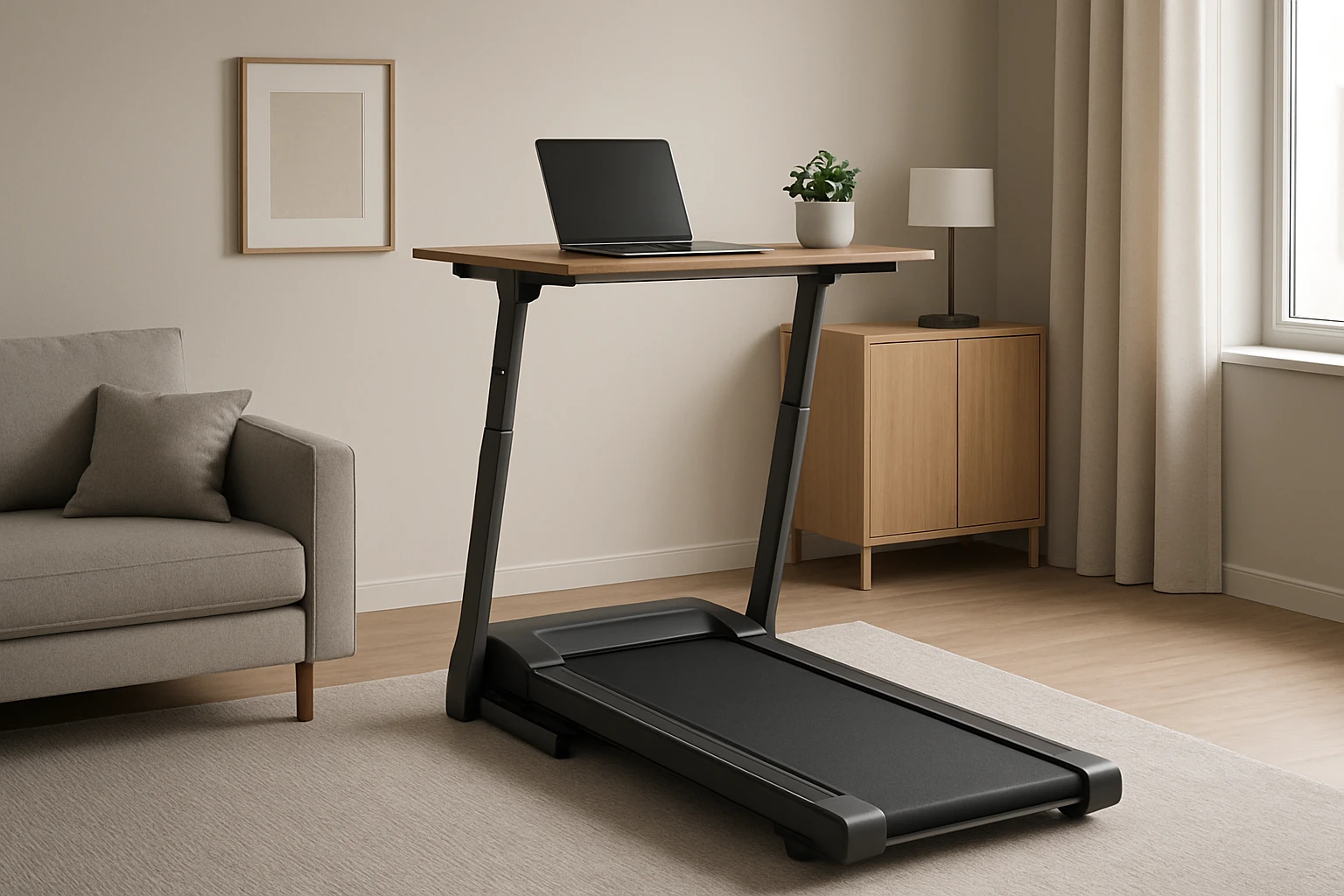
How to Set Up a Folding Treadmill Desk in a Small Apartment: Step‑by‑Step Space‑Saving Guide
Introduction
One can combine physical activity with productive work by creating a treadmill desk, even when living in a modest apartment. This guide explains how to evaluate limited space, select appropriate equipment, and assemble a functional workstation that encourages daily movement while preserving comfort. By following each step, the reader will gain confidence to build a reliable setup without compromising living area or budget.
The guide emphasizes practical decisions, safety considerations, and ergonomic best practices. It also highlights three carefully chosen Amazon products that serve as essential tools for the project. The reader may choose to purchase these items or substitute comparable alternatives; the instructional value remains intact.
What You'll Need
- A compact folding treadmill with incline capability – for example, the Trailviber Compact Under Desk Treadmill.
- An ergonomic laptop holder tray that fits treadmill handrails – such as the Qsxou Treadmill Laptop Holder Tray.
- An adjustable standing desk to place the tray and accessories – the HUANUO 32" Electric Standing Desk.
- Basic tools: screwdriver, level, measuring tape, and cable ties.
- Optional: anti‑fatigue mat, ergonomic chair, and monitor arm.
Step 1: Measure and Plan the Layout
Begin by measuring the floor area that will accommodate the treadmill and desk. A minimum of 6 feet in length and 3 feet in width is recommended to allow safe walking and to position the standing desk without obstruction. Sketch the layout on paper, noting the location of power outlets, windows, and any furniture that must remain.
When planning, consider the treadmill's footprint – the Trailviber model measures approximately 38 inches by 16 inches, and its folding mechanism reduces the depth to about 3 inches when stored. Position the treadmill near a wall outlet to avoid long extension cords, which can create tripping hazards.
Allocate at least 12 inches of clearance behind the treadmill for airflow and for the user to step off safely. This spacing also permits the standing desk to slide beneath the treadmill when it is folded, maximizing floor efficiency.
Planning ahead reduces the need for later rearrangement and ensures that the final setup integrates seamlessly with daily routines.
Step 2: Unbox and Assemble the Trailviber Compact Under Desk Treadmill
Unpack the treadmill carefully, verifying that all components listed in the instruction manual are present. The Trailviber Compact Under Desk Treadmill arrives partially assembled; the user must attach the side rails and connect the power cable.
Follow these actions:
- Place the base on a level surface; use a bubble level to confirm flatness. An uneven floor can cause excessive vibration and premature wear.
- Secure the side rails using the provided bolts. The 450 lb capacity frame is reinforced with steel, ensuring stability once the bolts are tightened.
- Connect the Bluetooth speaker module to a mobile device if desired. The built‑in speaker enhances motivation during workouts without requiring external equipment.
- Power on the unit and test the 9‑level auto‑incline function. The 0‑12 % incline mimics hill climbing, increasing calorie expenditure by up to three times compared with a flat surface.
The treadmill features an RGB LED screen that displays speed, distance, calories, time, and incline level in six colors. This visual feedback helps the user maintain target intensity without constantly checking a separate device.
Why this product is useful: its compact folding design saves space, while the auto‑incline and high weight capacity accommodate users of various sizes. The integrated Bluetooth speaker eliminates the need for separate audio equipment, reducing clutter.
Key specifications: 2.5 HP motor, 450 lb capacity, 9‑level incline, RGB LED display, price $335.09, rating 4.8/5 from 1,994 reviews.
Step 3: Set Up the HUANUO 32" Electric Standing Desk
Position the standing desk adjacent to the treadmill, ensuring that the desk surface aligns with the treadmill's handrails when the treadmill is in use. The HUANUO desk offers a height range of 28.3" to 46.5", allowing the user to work while standing or sitting.
Assembly steps:
- Unfold the desk frame and attach the legs using the supplied Allen wrench. The steel construction provides stability for monitors and accessories.
- Connect the electric lift motor to the control panel. The desk includes four memory presets; program the most frequently used heights for quick transitions.
- Secure the desktop onto the frame. The two‑piece spliced desktop has rounded corners, reducing injury risk during movement.
- Plug the desk into a nearby outlet and test the height adjustment. The motor operates quietly, which is important when the treadmill is also running.
Why this product is useful: its electric height adjustment eliminates manual effort, and the memory presets streamline the switch between sitting and standing. The compact 32‑inch width fits comfortably in a small apartment while still providing enough surface area for a laptop, mouse, and a small monitor.
Key specifications: height range 28.3"–46.5", four memory presets, steel construction, price $89.99, rating 4.6/5 from 1,746 reviews.
Step 4: Install the Qsxou Treadmill Laptop Holder Tray
With the treadmill and desk in place, attach the laptop holder tray to the treadmill handrails. The Qsxou tray measures 25.2 in × 34.65 in, providing ample space for a laptop, tablet, and two cup holders.
Installation procedure:
- Slide the tray onto the handrails, ensuring that the distance between the rails falls between 25 in and 32 in, as specified by the product.
- Secure the tray using the two adjustable straps; tighten them into the nearest hole slots to prevent slippage during movement.
- Verify that the edge protector rubber is properly positioned to guard the laptop against accidental bumps.
- Check the cooling holes; they promote airflow to keep the laptop temperature within safe limits during prolonged sessions.
Why this product is useful: it transforms the treadmill into an active workstation without requiring a separate desk, saving floor space. The built‑in cup holders keep beverages stable, and the cooling holes protect electronic devices from overheating.
Key specifications: supports up to 22 lb, universal fit for handrail distances 25‑32 in, price $44.99, rating 4.4/5 from 279 reviews.
Step 5: Cable Management and Ergonomic Adjustments
After assembling the hardware, organize power and data cables to avoid entanglement with the treadmill belt. Use zip ties or Velcro straps to bundle cables along the side of the standing desk. Route the treadmill power cord along the wall, securing it with adhesive clips.
Adjust the monitor height so that the top of the screen is at or slightly below eye level. This posture reduces neck strain. If a separate monitor is used, place it on the standing desk and connect it to the laptop via HDMI or USB‑C.
Place an anti‑fatigue mat in front of the treadmill to cushion the feet and reduce joint stress during extended walking sessions. The mat also helps to quiet the treadmill by absorbing vibrations.
Finally, test the full setup by walking at a moderate speed (2–3 mph) while typing. Observe any wobble or cable interference and make necessary adjustments before committing to longer work periods.
Tips & Pro Tips
- Start with short walking intervals (5‑10 minutes) and gradually increase duration to allow the body to adapt.
- Maintain a neutral spine; engage core muscles while walking to support lower back health.
- Use the treadmill's auto‑incline feature to simulate hill training without manually adjusting the incline.
- Schedule regular breaks to stretch the calves, hamstrings, and shoulders.
- If the apartment floor is carpeted, place a thin plywood board beneath the treadmill to improve stability.
- Enable the Bluetooth speaker on the Trailviber treadmill to listen to motivational playlists without additional devices.
Troubleshooting
Problem: The treadmill belt slips or makes excessive noise.
Solution: Verify that the treadmill is on a level surface; adjust the feet with the built‑in leveling knobs. Ensure the belt is tightened according to the manual, and lubricate if recommended.
Problem: The laptop tray feels unstable when the treadmill accelerates.
Solution: Re‑tighten the strap fasteners and confirm that the handrails are securely locked. Reduce the walking speed until the tray stabilizes.
Problem: The standing desk does not reach the desired height.
Solution: Check that the load on the desk does not exceed the motor's capacity. Remove unnecessary items and test again. If the issue persists, contact the manufacturer's support line.
Conclusion
By following the outlined steps, one can transform a small apartment into a health‑focused workspace that encourages movement without sacrificing productivity. The combination of a compact folding treadmill, an ergonomic laptop holder, and an adjustable standing desk creates a versatile environment suitable for remote professionals, students, and anyone seeking to integrate exercise into daily routines. Continuous use of this setup can improve cardiovascular fitness, posture, and overall well‑being while preserving valuable living space.
One is encouraged to experiment with speed, incline, and desk height settings to discover the most comfortable configuration. With proper maintenance and ergonomic awareness, the treadmill desk will provide lasting value for years to come.
Products Mentioned in This Guide
Frequently Asked Questions
How much floor space does a folding treadmill desk need in a small apartment?
A compact folding treadmill typically requires 3‑4 ft of length and 2‑3 ft of width, leaving enough room for a chair and a laptop tray.
Can I use a regular laptop stand with a treadmill handrail?
Yes, choose an ergonomic laptop holder with adjustable clamps that can attach securely to the treadmill’s handrail.
What safety features should I look for in a folding treadmill for a desk setup?
Look for a low‑profile deck, a reliable emergency stop button, and a non‑slip handrail to prevent accidents while working.
How do I maintain proper ergonomics while using a treadmill desk?
Keep the screen at eye level, elbows at 90°, and adjust the treadmill speed to a comfortable walking pace to avoid strain.
Is it possible to store the treadmill when not in use without damaging the desk?
Yes, fold the treadmill flat and slide it under a bed or couch, or use a wall‑mounted bracket to keep it out of the way.