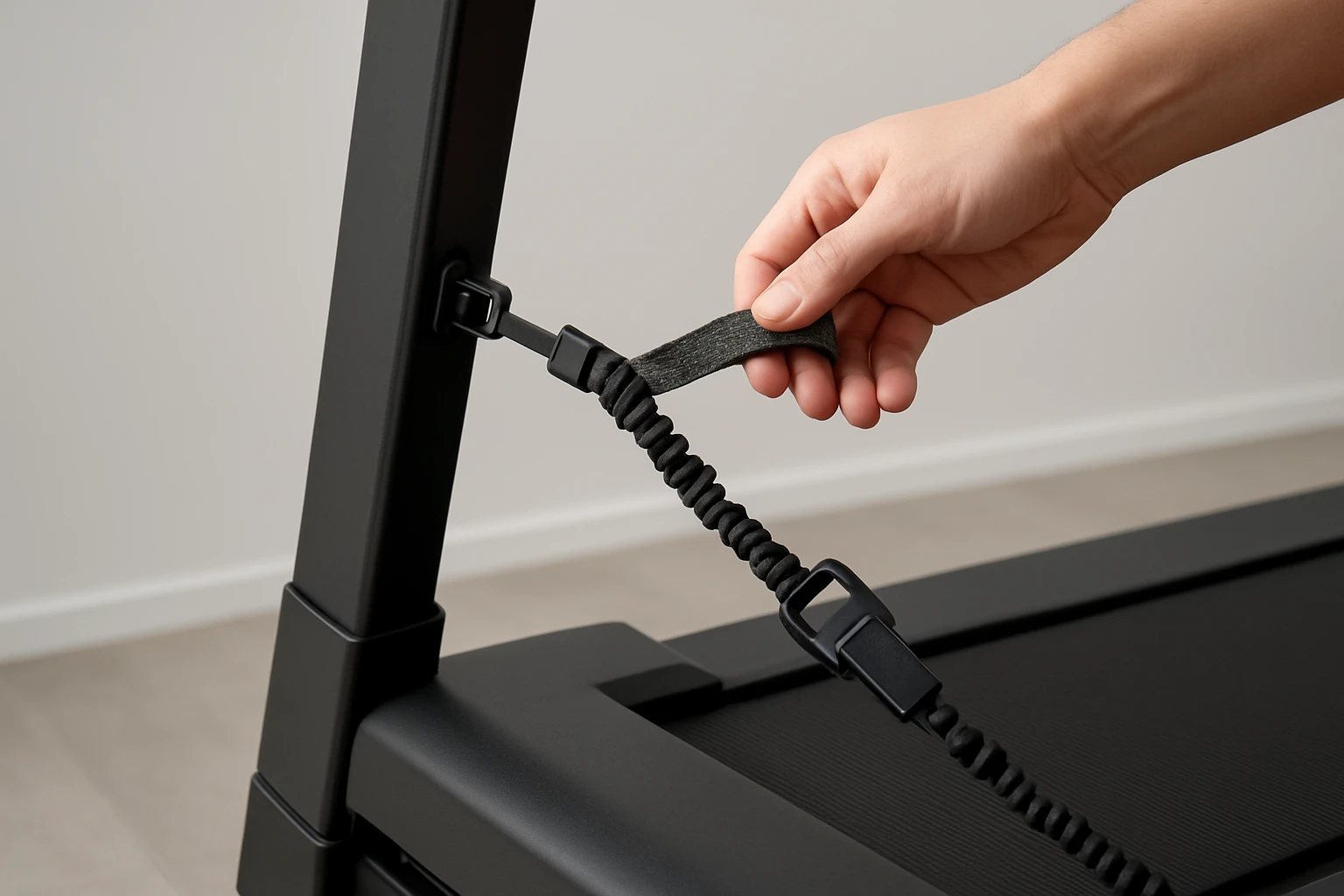
How to Install and Secure a Portable Safety Tether for Folding Treadmills — Step‑by‑Step Guide
Introduction
Folding treadmills provide a convenient way to stay active in limited space, but their compact design often omits a permanent safety key. A portable safety tether prevents the belt from running when the user falls or steps away, protecting both the equipment and the user. This guide explains how to select, install, and test a safety tether, ensuring reliable operation every time you walk or run. By following each step, readers will gain confidence in setting up a secure tether without compromising the treadmill’s portability.
The instructions are written for an intermediate audience; they assume basic familiarity with treadmill components but do not require advanced technical skills. Throughout the guide, we will recommend affordable, highly‑rated products that simplify the process while maintaining safety standards.
What You’ll Need
- A compatible safety tether (square or round, depending on your treadmill model)
- Strong clipping mechanism or key clip for clothing attachment
- Screwdriver or Allen‑key set (usually included with the treadmill)
- Cleaning cloth and mild disinfectant
- Optional: Treadmill desk tray for multitasking while you walk
All recommended safety tethers are available on Amazon and include the necessary clipping hardware. The optional desk tray adds a productivity boost for those who wish to work while exercising.
Step 1: Identify the Safety Key Type Required
The first step is to determine whether your folding treadmill uses a square or round safety key. Most NordicTrack, ProForm, and Weslo models employ a square key, while many Reebok and Gold's Gym units use a round key. Consult the user manual or locate the existing key housing on the console. If the original key is missing, note the shape for the next purchase.
For square‑key treadmills, the GCQ Treadmill Safety Key is an excellent choice. It features a high‑quality ABS plastic body, braided rope for strength, and a magnetic connection that snaps on quickly. Priced at $6.59 with a 4.6‑star rating from 405 reviews, it offers reliable performance at a fraction of the cost of OEM replacements.
For round‑key models, both the Thlevel Universal Safety Key and the GWY Treadmill Safety Key are suitable. The Thlevel key includes a sturdy ABS plastic clip and a 1 m nylon rope, while the GWY key adds powerful magnets and springs for extra security. Both are priced at $6.59 and carry a 4.6‑star rating, making them cost‑effective replacements.
Step 2: Prepare the Treadmill Surface
Before installing the tether, clean the area around the safety key slot. Use a soft cloth dampened with a mild disinfectant to remove dust, sweat, or debris that could interfere with the magnetic connection. Allow the surface to dry completely. A clean interface ensures that the magnetic latch engages fully and reduces the risk of accidental disengagement during use.
If you plan to use the optional desk accessory, this is also a good time to verify that the treadmill’s handrails are free of obstructions. The TFD Treadmill Desk Tray fits most major brands and measures 34" × 13" × 1". Although it costs $49.99 and has a modest 3.5‑star rating, its acrylic construction provides a stable platform for laptops, tablets, and notebooks while you walk.
Step 3: Attach the Safety Key to Your Clothing
Take the safety key you purchased and locate the built‑in clip. For the GCQ key, the clip is designed to clamp securely to any part of a shirt, jacket, or workout top. Clip the key to a garment that will stay close to your torso during exercise; this positioning ensures that the magnetic switch will disengage if you move too far from the console.
The Thlevel and GWY keys also feature strong clips. The Thlevel version uses a magnetic work mechanism that quickly aligns with the treadmill’s sensor, while the GWY key incorporates a powerful magnet and spring system for a more robust connection. Both designs prevent accidental drops and are rated 4.6 stars, indicating consistent user satisfaction.
For added durability, especially on high‑intensity workouts, consider the TreadLife Universal Key Clip. This spring‑loaded clip is compatible with all treadmill key cords and offers a more durable grip than standard clips. Priced at $10.95 with a 4.7‑star rating from 70 reviews, it is an investment in long‑term reliability.
Step 4: Insert the Safety Key into the Treadmill Slot
With the clip attached to your clothing, align the magnetic end of the safety key with the slot on the treadmill console. Gently push the key until you feel a magnetic “click.” This audible cue confirms that the key is properly seated. Verify that the key sits flush with the console and does not protrude, as an uneven placement could cause the treadmill to stop prematurely.
If the key does not engage, double‑check that you have selected the correct shape (square vs. round). The GCQ key will not fit a round slot, and vice versa. In such cases, replace the key with the appropriate model.
Step 5: Test the Safety Mechanism
Power on the treadmill while keeping the safety key attached to your clothing. Slowly increase the speed to a low setting (1–2 mph). Step off the treadmill deliberately; the magnetic connection should break, causing the treadmill to stop within seconds. This test confirms that the tether functions as intended.
If the treadmill continues running after you have stepped away, re‑examine the clip placement and ensure the magnetic surface is clean. A weak magnetic field may be caused by dirt or a damaged key. In such cases, replace the key with a new unit from the recommended product list.
Step 6: Secure the Tether for Folding Storage
When the treadmill is folded for storage, the safety key can become a loose item that is easy to misplace. Use the TreadLife Universal Key Clip to attach the key to the treadmill frame itself. The spring‑loaded mechanism grips the metal frame without damaging the finish, keeping the key accessible for the next workout.
Alternatively, store the key in a small zip‑lock bag attached to the treadmill’s side rail. This method works well for users who prefer not to use an additional clip.
Tips & Pro Tips
- Check Compatibility Before Purchase: Verify the key shape by inspecting the original slot. Most manufacturers list compatible models in the product description.
- Maintain a Clean Magnet Surface: Wipe the magnetic end of the safety key with a dry cloth after each use to prevent residue buildup.
- Use a Backup Key: Keep a spare safety key in a drawer or on a hook near your workout area. This avoids downtime if the primary key is lost.
- Adjust Clothing Placement: If the key frequently detaches, try clipping it to a tighter‑fitting garment such as a compression shirt.
- Integrate a Desk Tray: For multitaskers, the TFD Treadmill Desk Tray provides a stable surface for laptops and beverages, enhancing productivity while walking.
Troubleshooting
Problem: Treadmill does not stop when stepping away.
Solution: Ensure the magnetic connection is fully engaged. Clean both the key and the console slot, and verify that the clip is securely attached to your clothing. If the issue persists, replace the key with a new unit.
Problem: Safety key falls off during intense workouts.
Solution: Switch to the TreadLife Universal Key Clip, which offers a stronger grip and spring‑loaded attachment.
Problem: Key does not fit the slot.
Solution: Confirm whether your treadmill requires a square or round key. Purchase the appropriate model (GCQ for square, Thlevel or GWY for round).
Conclusion
Installing a portable safety tether on a folding treadmill is a straightforward process that significantly enhances user safety and equipment longevity. By identifying the correct key type, attaching it securely to clothing, and testing the magnetic disengagement, users can enjoy worry‑free workouts. The recommended products—GCQ, Thlevel, GWY, TreadLife, and TFD—provide affordable, high‑quality solutions that simplify each step. Follow the tips and troubleshooting advice to maintain optimal performance, and consider adding a desk tray for a productive multitasking experience.
Products Mentioned in This Guide
Frequently Asked Questions
What type of safety tether is compatible with most folding treadmills?
Most folding treadmills use either a square‑shank or round‑shank safety tether; check your model’s manual to match the connector shape.
Do I need special tools to install a portable safety tether?
A standard screwdriver or Allen‑key (often included with the tether kit) is all that’s required for installation.
How do I test the safety tether after installation?
Start the treadmill at low speed, attach the tether to your clothing, and ensure the belt stops immediately when the tether is pulled out.
Can the portable safety tether affect the treadmill’s portability?
No, the tether clips on the frame and detaches easily, so it doesn’t add bulk or hinder folding.
How often should I inspect the safety tether for wear?
Inspect the tether and clip before each use; replace it if the cord shows fraying or the clip feels loose.